

Invitation links
With invitation links you decide exactly who sees a showroom: a collector, a gallery, a foundation. Each recipient gets their own link, and you can remove one link without touching the others.
The links work when the showroom has the access Invitation links only. See Create and arrange a showroom.
The screenshots show heyArtist in Danish; the labels are named in English here as they appear when you switch the app to English.
The links
Section titled “The links”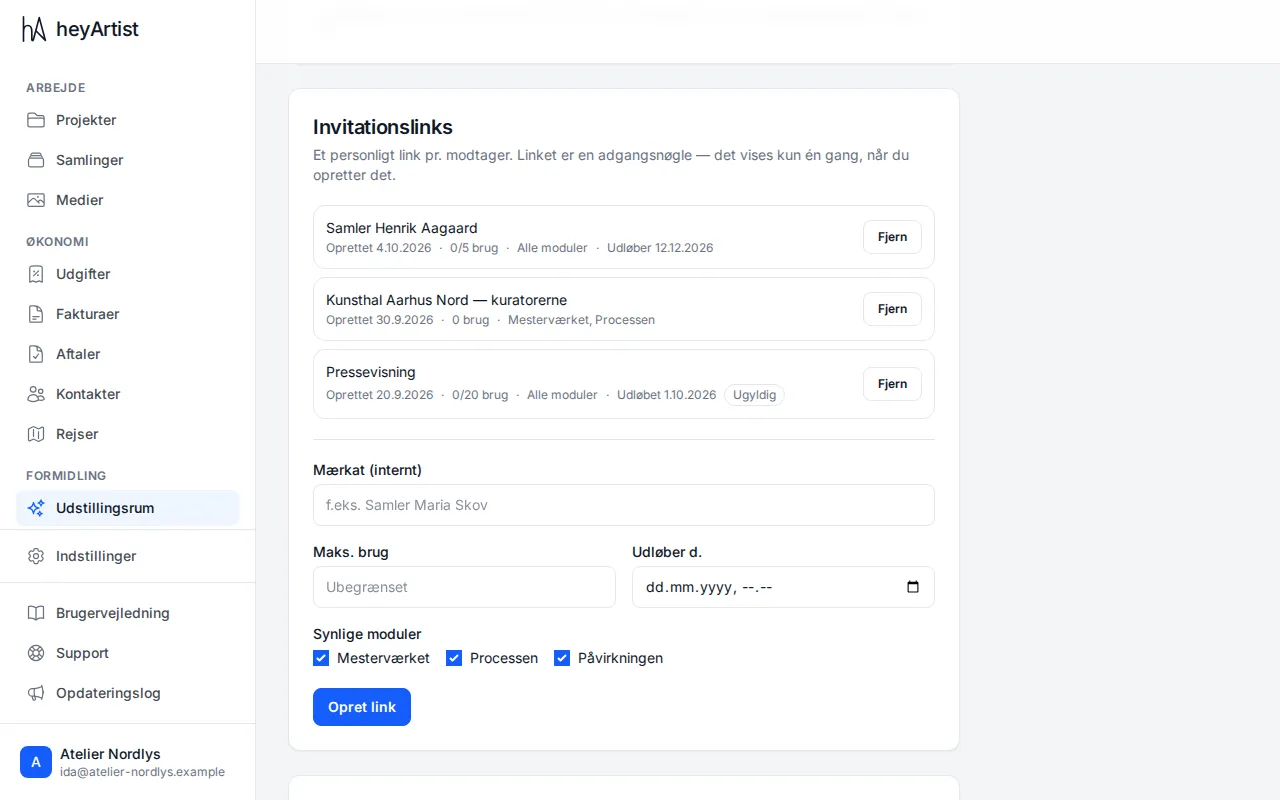
Open the showroom and scroll down to Invitation links. For each link you see:
- The label — your own name for the link, such as Collector Henrik Aagaard. The recipient does not see it.
- Created — the date.
- Uses — how many times the link has been used, and the limit, such as 0/5 uses.
- Modules — All modules or the modules the link shows.
- Expires — if the link has an expiry date.
- Invalid — when the link has expired or been used up.
Click Revoke to close a link. Everyone using it loses access.
Create a link
Section titled “Create a link”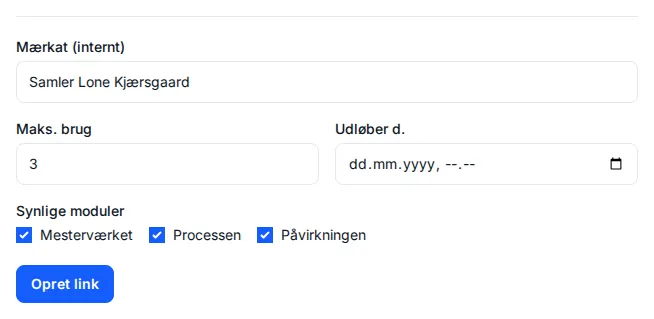
- Write a Label (internal), such as the recipient’s name.
- Max uses — how many times the link may be used. Leave it empty for unlimited.
- Expires on — a date and time when the link stops working. Leave it empty if it should not expire.
- Visible modules — untick the modules the recipient should not see. At least one must be ticked.
- Click Create link.