

The plans: Starter, Standard and Deluxe
heyArtist has three plans. All three include projects and journal, works, media, expenses and receipts, invoices, contracts, contacts and travel. The difference is how much space and how many extra features you get.
| Starter | Standard | Deluxe | |
|---|---|---|---|
| Storage | 1 GB | 10 GB | 100 GB |
| Guests on projects | None | 1 | Up to 10 |
| Automatic reading of receipts | Yes | Yes | Yes |
| The AI questions under Plan | — | Must be answered | Must be answered |
| Digital signatures per month | 1 | 2 | 5 |
| Showrooms | No | Yes | Yes |
| Invoices | Yes | Yes | Yes |
Storage covers every file in the account: pictures, video, PDFs and receipts — including the smaller versions of pictures heyArtist makes when you upload.
Guests are people outside the account whom you invite to a single project. See Share a project with a guest.
Digital signatures are the contracts you can send for signing with MitID or SMS in a calendar month. Contracts signed on paper do not count. See Send for digital signature.
Showrooms present a project. See Showrooms.
See and change the plan
Section titled “See and change the plan”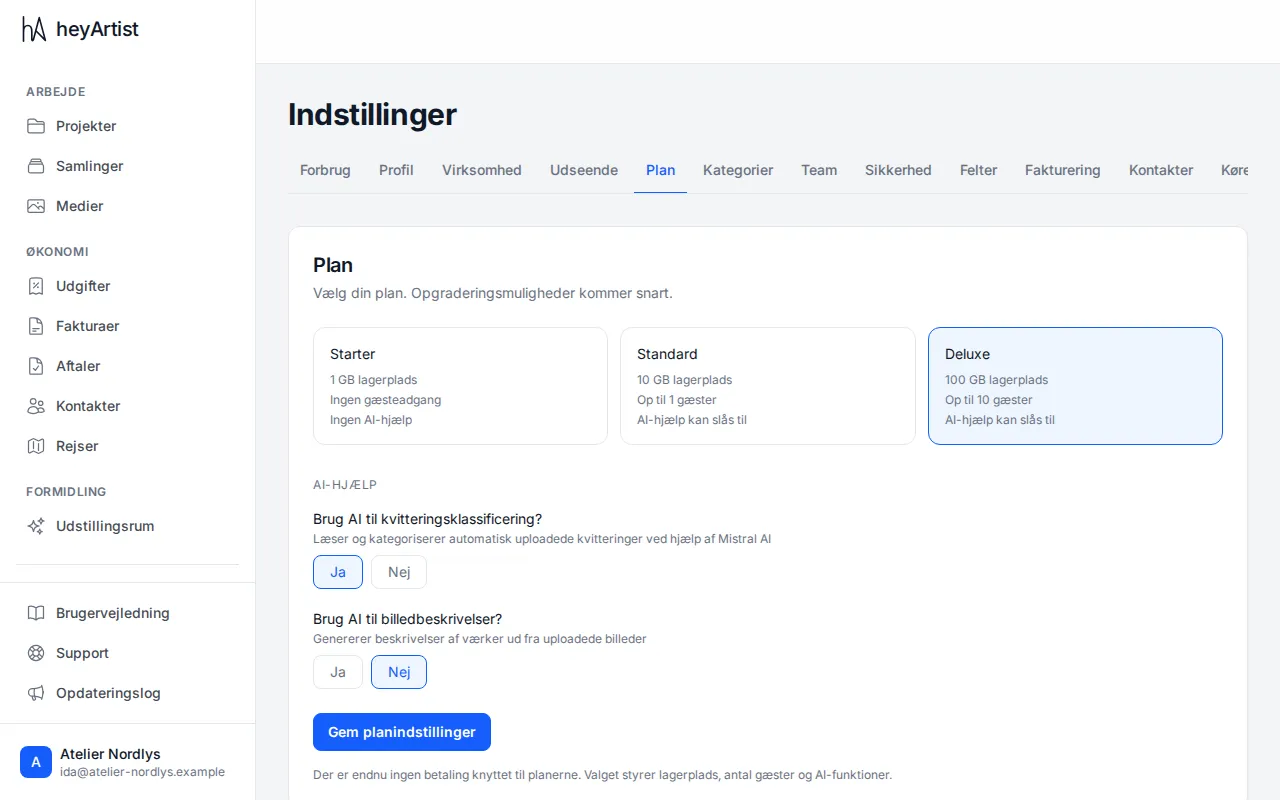
Under Settings → Plan you see the three plans, with the account’s current plan highlighted.
- Click the plan you want.
- On Standard and Deluxe, answer Yes or No to both AI questions — receipt classification and image descriptions — before you can save.
- Click Save plan settings.
The plan changes as soon as you save. No payment is attached to the plans yet — the choice controls storage, the number of guests, digital signatures and showrooms.
Your answers to the AI questions are stored on the account, but they do not control anything today: receipts are read automatically (by Mistral AI in France) on every plan, whatever the answer.
How much have you used?
Section titled “How much have you used?”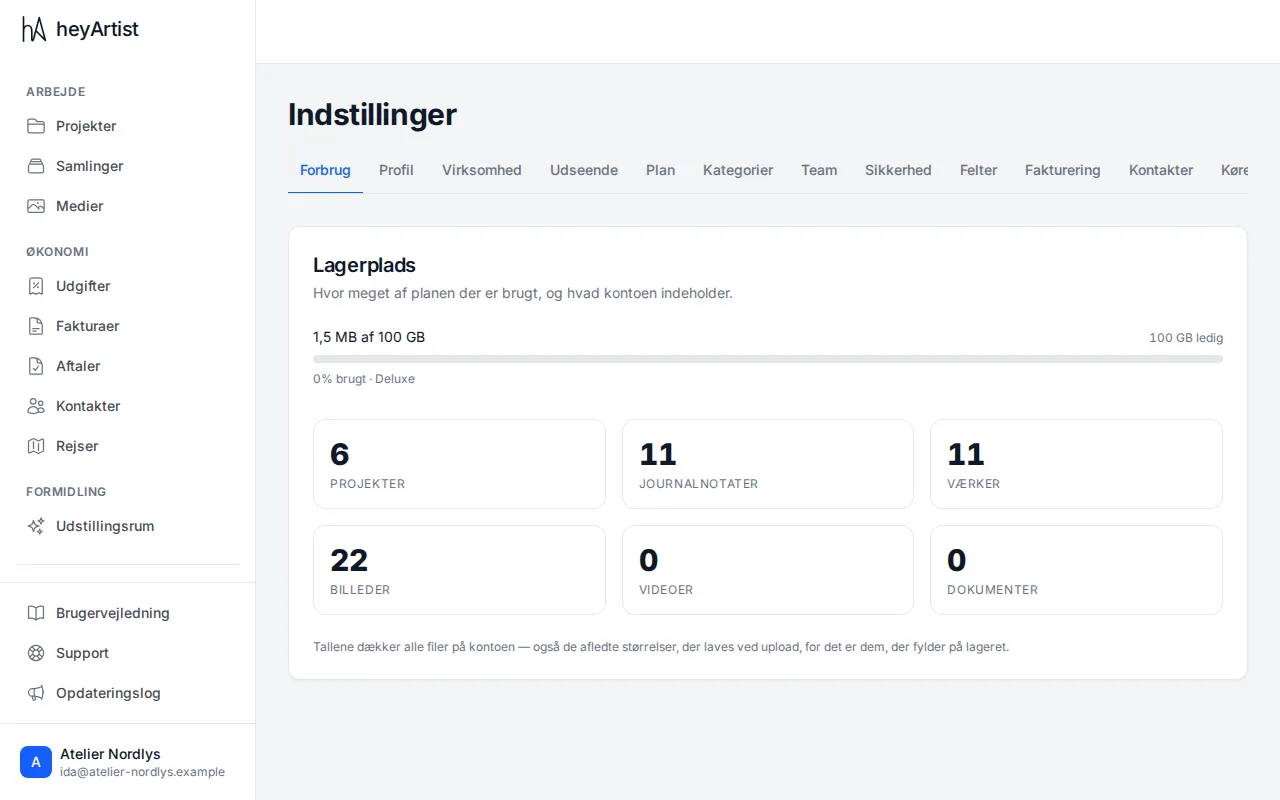
Under Settings → Usage you see how much of the storage is used and how much is free, along with the number of projects, journal notes, works, pictures, videos and documents. Settings → Business shows how many digital signatures have been used this month.
See also Usage: storage and signatures and Plan and the AI questions.