

Welcome to heyArtist
heyArtist keeps your artistic work and your finances in one place. You keep track of projects and their journal, works and pictures, receipts and expenses, invoices, contracts, contacts and mileage — and all of it can be linked to the project it belongs to.
This page gives you the overview. If you are brand new, also read Setup in 7 steps.
The screenshots show heyArtist in Danish; the buttons are named in English here as they appear when you switch the app to English.
The front page
Section titled “The front page”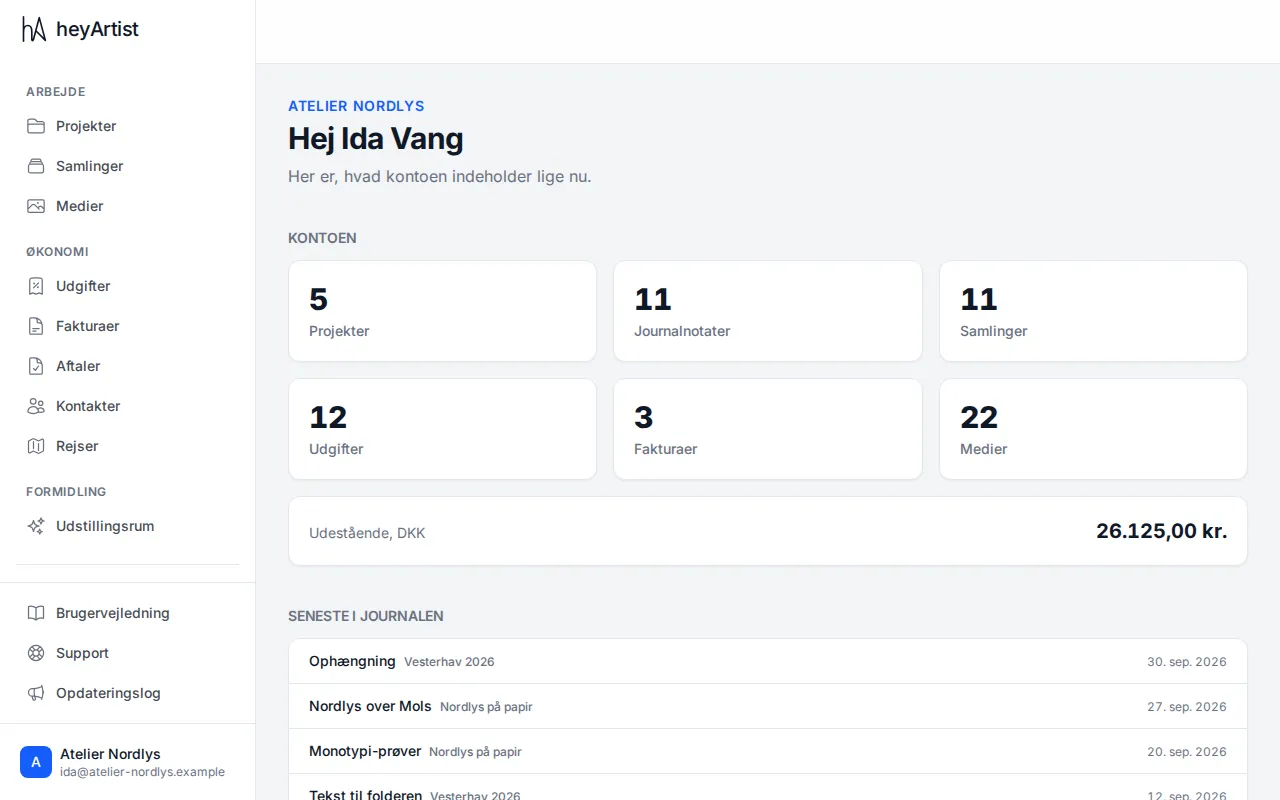
When you sign in, you land on the front page. At the top is the name of the account you are working in, and below it:
- The account — how many projects, journal notes, works (shown as Collections), expenses, invoices and media files the account holds. Click a number to go to the list.
- Outstanding — what customers owe you on invoices that are issued but not yet paid.
- Latest in the journal — the five newest notes from your projects’ journals. Drafts are included here too.
As long as the account’s setup is not finished, a Set up your account card is shown at the top of the front page as well.
The menu
Section titled “The menu”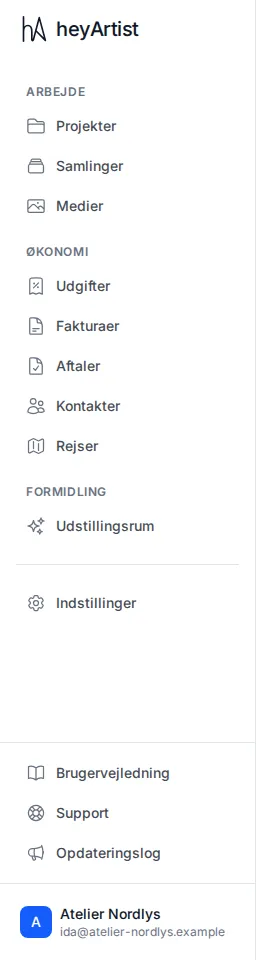
The menu on the left is split into groups:
| Group | Contents |
|---|---|
| Work | Projects with their journal, Collections (your works) and Media (every picture and file in the account) |
| Finance | Expenses, Invoices, Contracts, Contacts and Travel |
| Outreach | Showrooms — Standard and Deluxe only |
| Settings for the account and for yourself |
At the bottom of the menu you will find help: User guide, Support and What’s new. If there is something new under What’s new since you last looked, a small dot shows next to it.
On a phone the menu sits at the bottom of the screen instead. See heyArtist on your phone.
Your name and your account
Section titled “Your name and your account”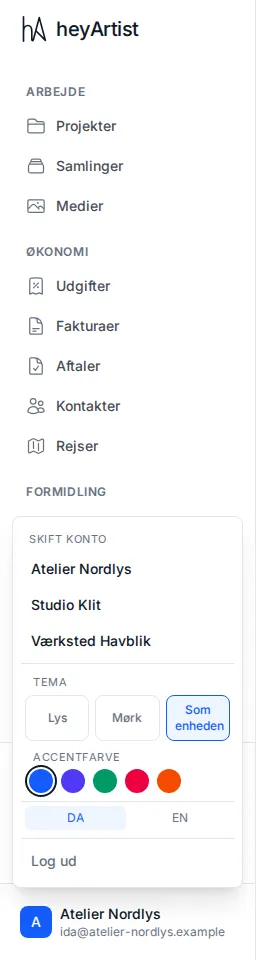
Click the account name at the bottom of the menu. Here you can:
- Switch account, if you belong to more than one. Everything you see belongs to the account you have chosen.
- Choose a theme: Light, Dark or System.
- Choose an accent colour.
- Switch between Danish and English (DA/EN).
- Sign out.
Theme, colour and language apply to the browser you are using, for all your accounts.
Manager and member
Section titled “Manager and member”Everyone on an account has a role:
- A manager can do everything — including what concerns the account as a whole: business details and invoicing, the plan, categories and fields, budgets, the data processing agreement, data export and inviting guests to a project.
- A member can work with the content — projects, works, expenses, invoices and so on — but cannot change the account’s settings.
Actions only a manager can take are marked in this guide.
Where to find help
Section titled “Where to find help”- User guide in the menu and this site, docs.heyartist.dk, explain heyArtist step by step.
- Support in the menu is where you write to heyArtist. You can attach screenshots and follow the case. See Help and support.
- What’s new tells you what is new, improved or fixed.