

Duplicates and merging
Two copies of the same contact are what make a register messy: the invoices are on one, the notes on the other. There are two safeguards: a warning when you save, and a merge once the damage is done.
The screenshots show heyArtist in Danish; the labels are named in English here as they appear when you switch the app to English.
“Does this contact already exist?”
Section titled ““Does this contact already exist?””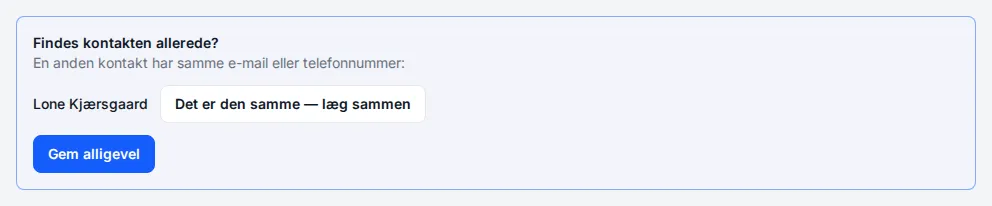
When you save a contact and another contact has the same email or phone number, nothing is saved straight away. Instead you see the contact that already exists, with two choices:
- It is the same one — merge — the new contact is saved and immediately merged with the existing one. You go on to the merge below.
- Save anyway — it is someone else, two people sharing a landline, for example. The contact is saved as new.
Nothing you typed is lost while you choose.
How heyArtist compares:
- Email regardless of upper and lower case.
- Phone numbers without spaces and symbols. An 8-digit number counts as Danish, so 20 00 41 17 and +45 20004117 are the same number.
A person cannot be merged with an organisation. If the new contact looks like one of the other type, it is listed in the warning, but without the merge button.
Merge two contacts
Section titled “Merge two contacts”If the same contact exists twice, open the one you want to keep and click Merge with … at the top. Choose the other contact and click Next.
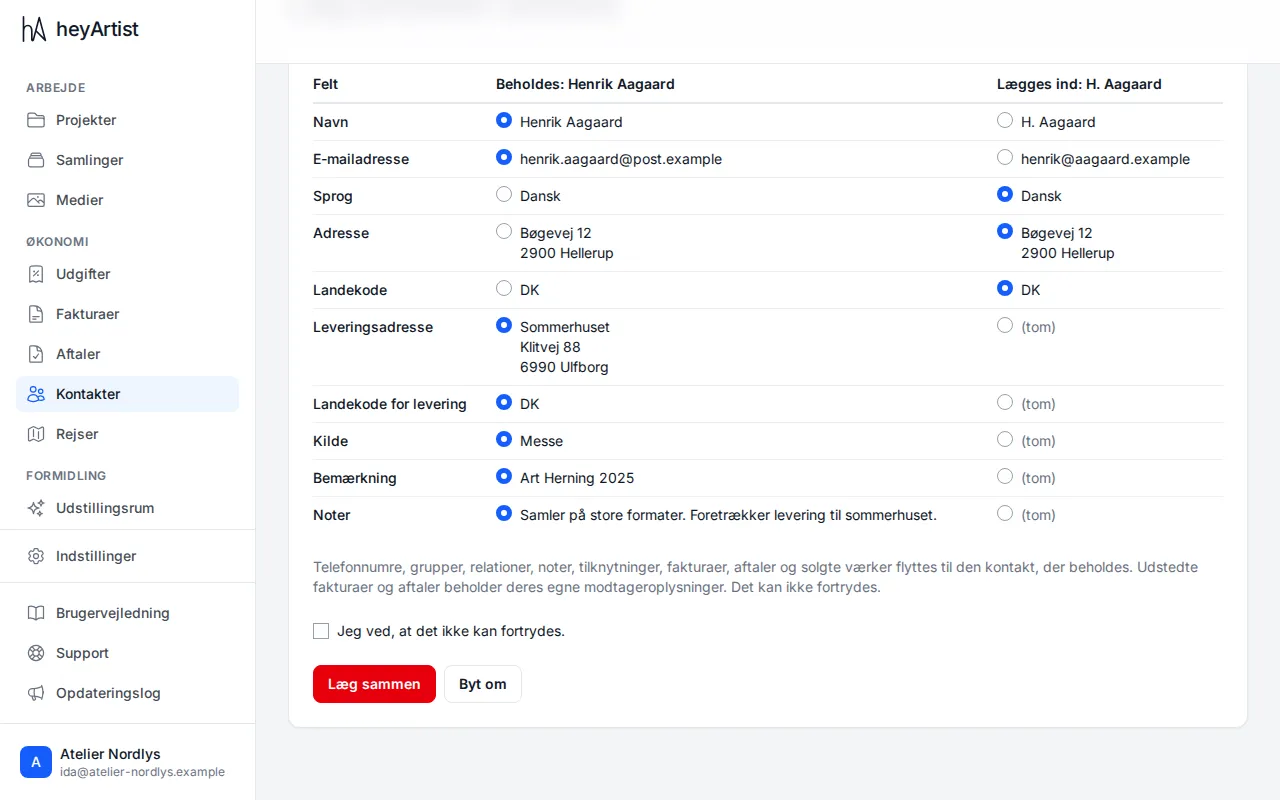
The two contacts are side by side: Kept on the left and Merged in on the right.
- For each field, choose which value stays. The most recently filled in is chosen in advance. (empty) means the field is empty on that contact.
- Click Swap if it is the other contact that should be kept.
- Tick I know this cannot be undone.
- Click Merge.
Phone numbers, groups, relations, notes, affiliations, invoices, contracts and sold works move to the contact that is kept. Issued invoices and contracts keep their own recipient details. If you saved a link to the contact that was merged in, it leads to the one that was kept.
Duplicates when importing
Section titled “Duplicates when importing”When you import contacts from a spreadsheet, possible duplicates are marked the same way, and you choose for each row whether to skip it, create it anyway or update the existing contact. See Importing from Excel or CSV.