

Project budgets
If an exhibition should cost no more than 40,000 kr., you can set that as the project’s budget. heyArtist adds up the project’s expenses and shows how much is left.
The screenshots show heyArtist in Danish; the labels are named in English here as they appear when you switch the app to English.
Seeing the budgets
Section titled “Seeing the budgets”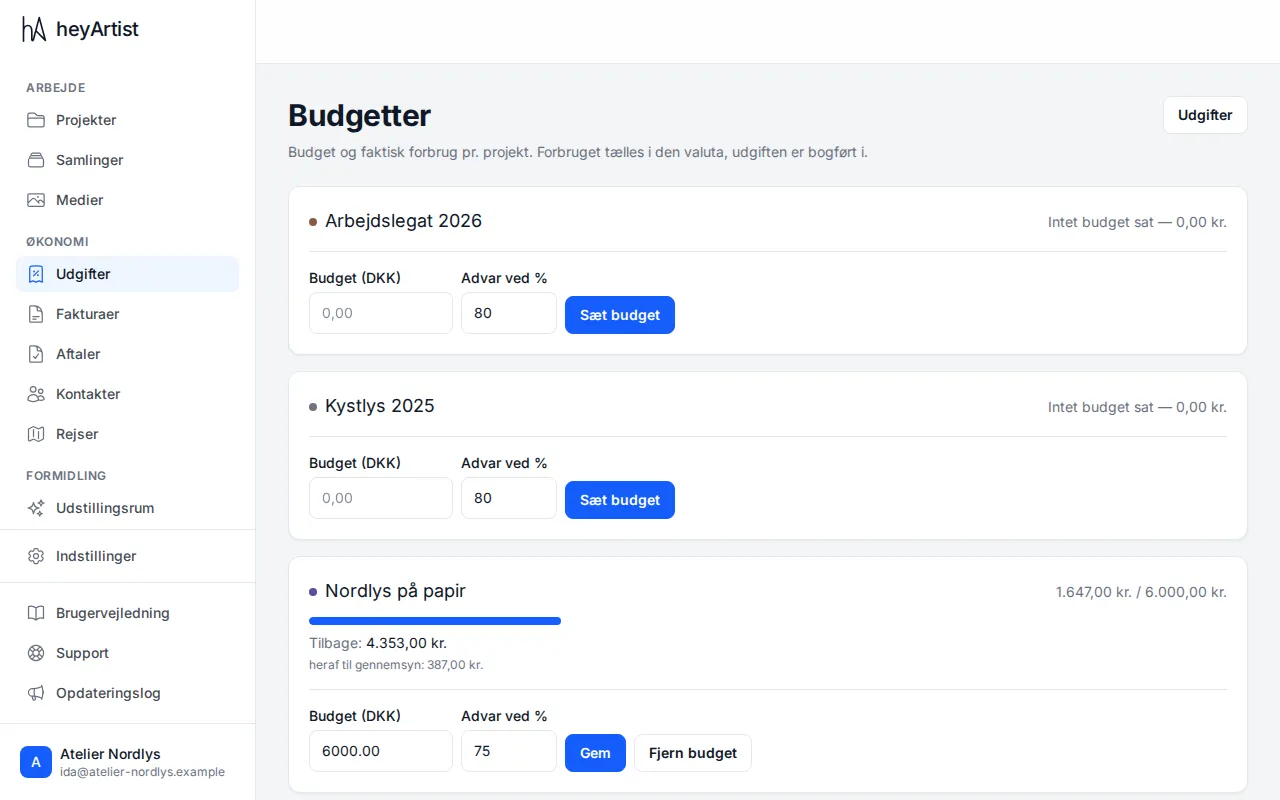
Click Budgets at the top of the Expenses page. Each project has its own card with:
- spent / budget — such as 14,213.00 kr. / 40,000.00 kr., or No budget set and the amount spent if the project has no budget,
- a bar showing how much of the budget has been used,
- Remaining — or Over by if the budget has been used up,
- of which awaiting review — the part of the spend that comes from expenses you have not approved yet.
Total for all projects is at the bottom.
Expenses that do not belong to a project — studio rent, for instance — do not count towards any budget.
The warning
Section titled “The warning”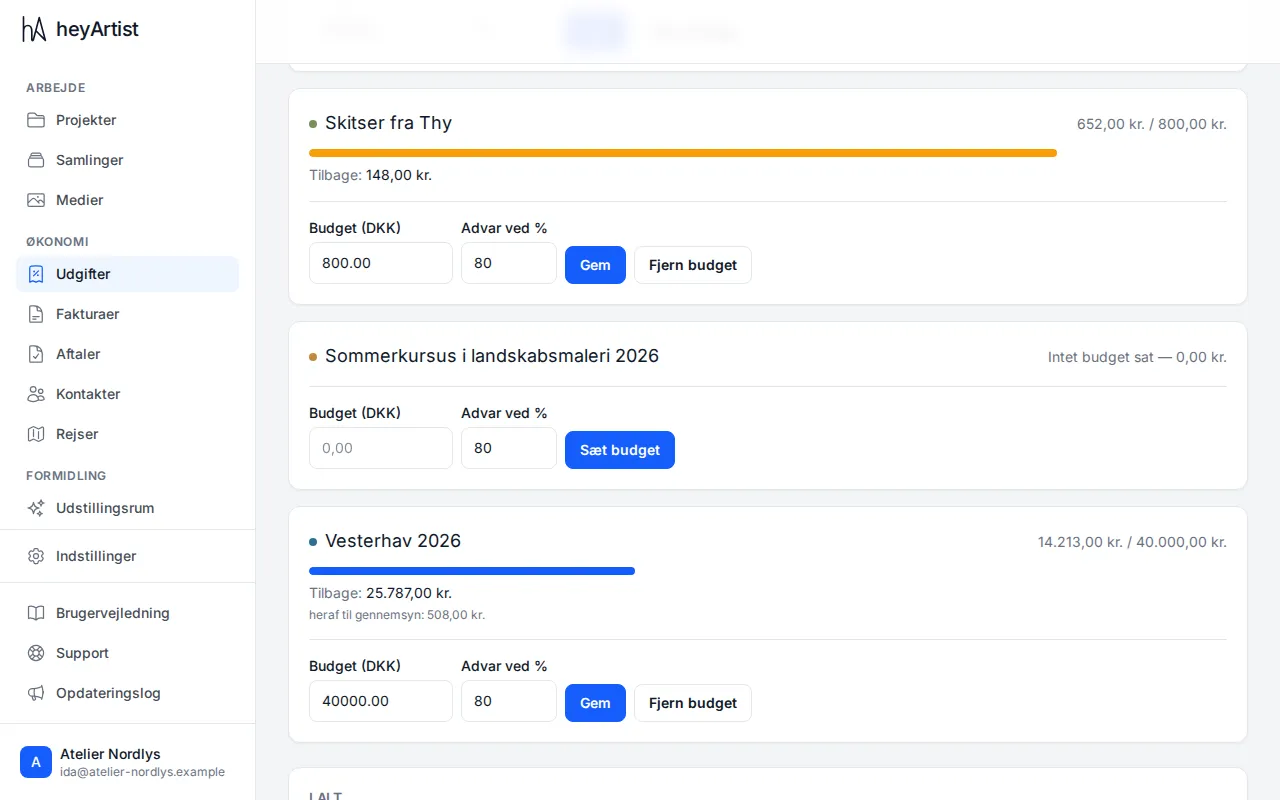
The bar changes colour as the budget is used:
- blue while there is plenty of room,
- orange when spend reaches your warning threshold (Warn at %, 80 % unless you change it),
- red when the budget has been exceeded.
Expenses still marked Needs review count towards the spend — the money has been spent, even if you have not checked the receipt yet. That is why their share is shown separately under of which awaiting review.
Setting or changing a budget
Section titled “Setting or changing a budget”- Find the project on the Budgets page.
- Enter the amount under Budget.
- If you like, enter another threshold under Warn at % (between 1 and 100).
- Click Set budget — or Save if the project already has a budget.
Remove budget takes the budget off the project again. The expenses are not touched.