

When a receipt is refused
The same receipt must not be booked twice. If it is, you deduct the expense twice, which is both wrong in the eyes of the tax authorities and hard to find afterwards. So heyArtist refuses a receipt that already exists in the account.
The screenshots show heyArtist in Danish; the labels are named in English here as they appear when you switch the app to English.
How heyArtist recognises a duplicate
Section titled “How heyArtist recognises a duplicate”Every file gets a digital fingerprint from its contents. Two files with the same fingerprint are exactly the same file, whatever they are called. If the file is already in the account, it is refused — even if you have renamed it.
The fingerprint only recognises the same file. A new photo of the same paper slip is a different file, and heyArtist cannot tell. You need to keep an eye on that yourself.
When you upload
Section titled “When you upload”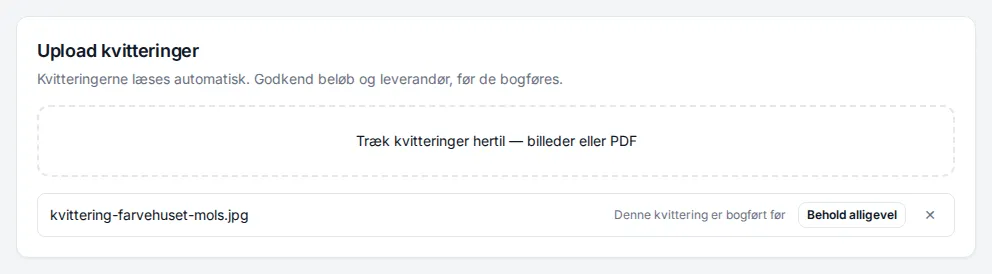
If you upload a receipt that has been booked before, This receipt has been booked before appears next to the file, and it is not saved.
- If it is a mistake — it usually is — click ✕ to take the file off the list.
- If the receipt really should be booked again, click Keep anyway. The file is uploaded, and you can press Save as expenses.
Keep anyway is a deliberate choice. heyArtist records which receipt the new one was accepted against, so it can be seen afterwards.
When you send it by email
Section titled “When you send it by email”If you email a receipt that has already been booked, heyArtist does not create a new expense. The Received by email log says Duplicate – already filed. See Receipts by email.
If an emailed receipt must be booked again, upload the file instead and choose Keep anyway.