

Team
Under Settings → Team you see the people who have access to the account.
The screenshots show heyArtist in Danish; the labels are named in English here as they appear when you switch the app to English.
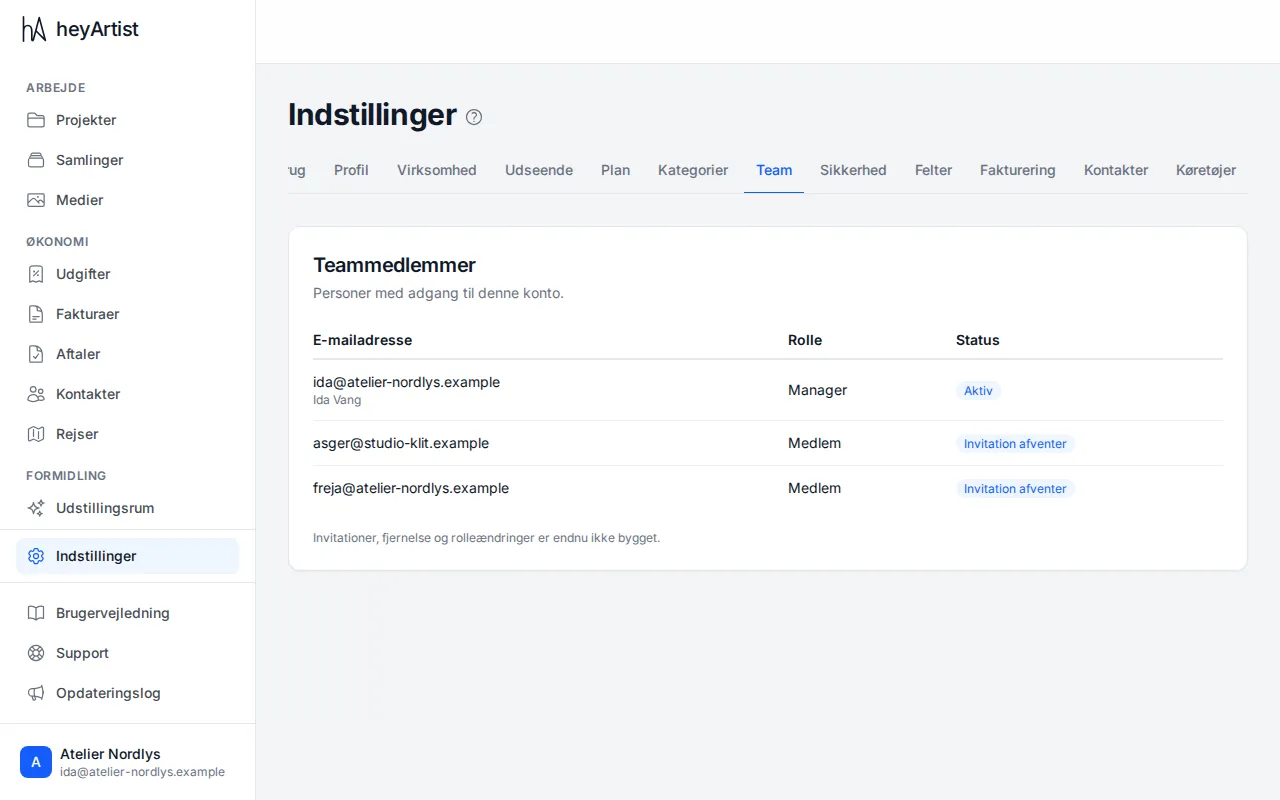
For each person you see:
- Email address and name.
- Role:
- Manager — can do everything, including changing the account’s details, plan, categories and invoicing settings, accepting the data processing agreement and downloading all data.
- Member — works in the account: projects, works, expenses, invoices, contracts and contacts. Can see the account’s details, plan and categories, but not change them.
- Status — Active, Invitation pending or Declined.
The page is read-only. The person invited accepts from the invitation email. See The invitation and your login.