

Exporting and deleting a contact
Your contacts are personal data, and the GDPR gives people the right to know what you hold about them and to be deleted. You handle both on the contact’s page.
The screenshots show heyArtist in Danish; the labels are named in English here as they appear when you switch the app to English.
Export a contact
Section titled “Export a contact”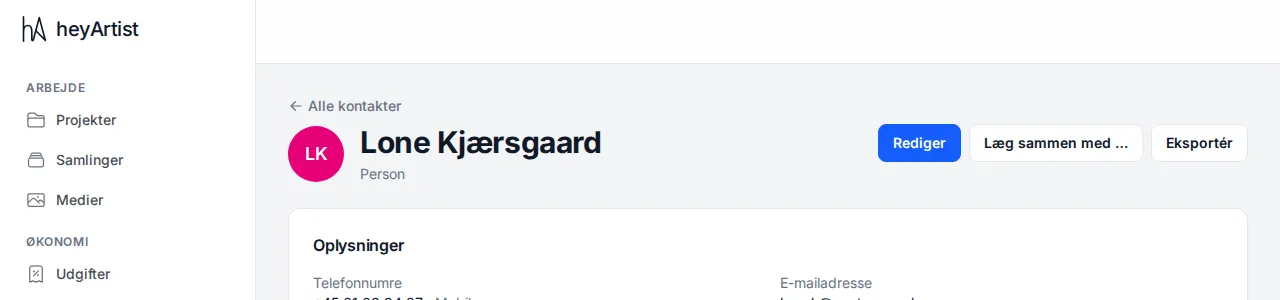
Open the contact and click Export at the top. You get a file (JSON) with everything heyArtist holds about the contact:
- the fields — name, email, addresses, language, source and notes,
- phone numbers,
- groups,
- relations, and what they came from,
- affiliations to organisations or people,
- the notes in the history, including ones you deleted,
- contacts that were merged into this one, with their phone numbers and notes.
You can send the file to the person if they ask to see their data.
For all the data in the whole account, use the data export under Settings. It includes every contact as well.
Delete a contact
Section titled “Delete a contact”- Open the contact.
- Click Delete under Delete contact at the bottom of the page.
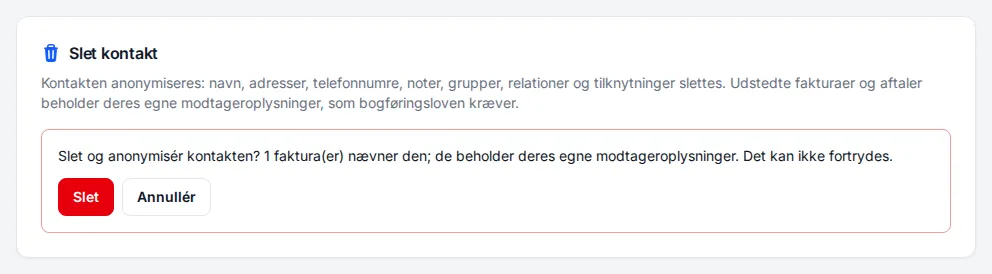
- Read the confirmation. It says how many invoices mention the contact.
- Click Delete again to delete, or Cancel to leave it.
When the contact is deleted, it is anonymised: the name, email, addresses, phone numbers, notes, groups, relations and affiliations are removed, and the contact disappears from the list. Contacts that were earlier merged into it are anonymised at the same time.
Issued invoices and contracts keep their own recipient details, because Danish bookkeeping law requires them to be kept. Those details were copied onto the invoice or contract when it was made, and do not change when the contact is deleted.