

Paid or void
An issued invoice ends in one of two ways: it is paid, or it is voided.
The screenshots show heyArtist in Danish; the labels are named in English here as they appear when you switch the app to English.
Mark as paid
Section titled “Mark as paid”When the customer has paid:
- Open the invoice.
- Click Mark as paid.
The status changes to Paid, and the date is shown under Paid on the invoice. You can still view, download and send the PDF — as a receipt for the customer, for example.
Only an issued invoice can be marked as paid. A paid invoice cannot be voided.
Void an invoice
Section titled “Void an invoice”An issued invoice cannot be corrected. If there is a mistake — wrong amount, wrong recipient, wrong VAT — you void it and make a new one.
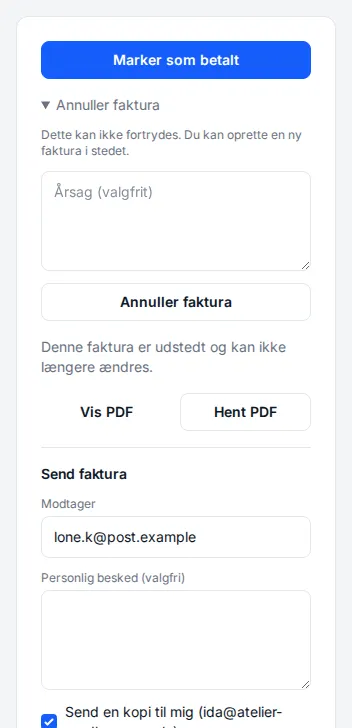
- Open the invoice.
- Click Void invoice to unfold it.
- If you like, enter a Reason, such as Wrong amount – replaced by a new invoice.
- Click the Void invoice button.
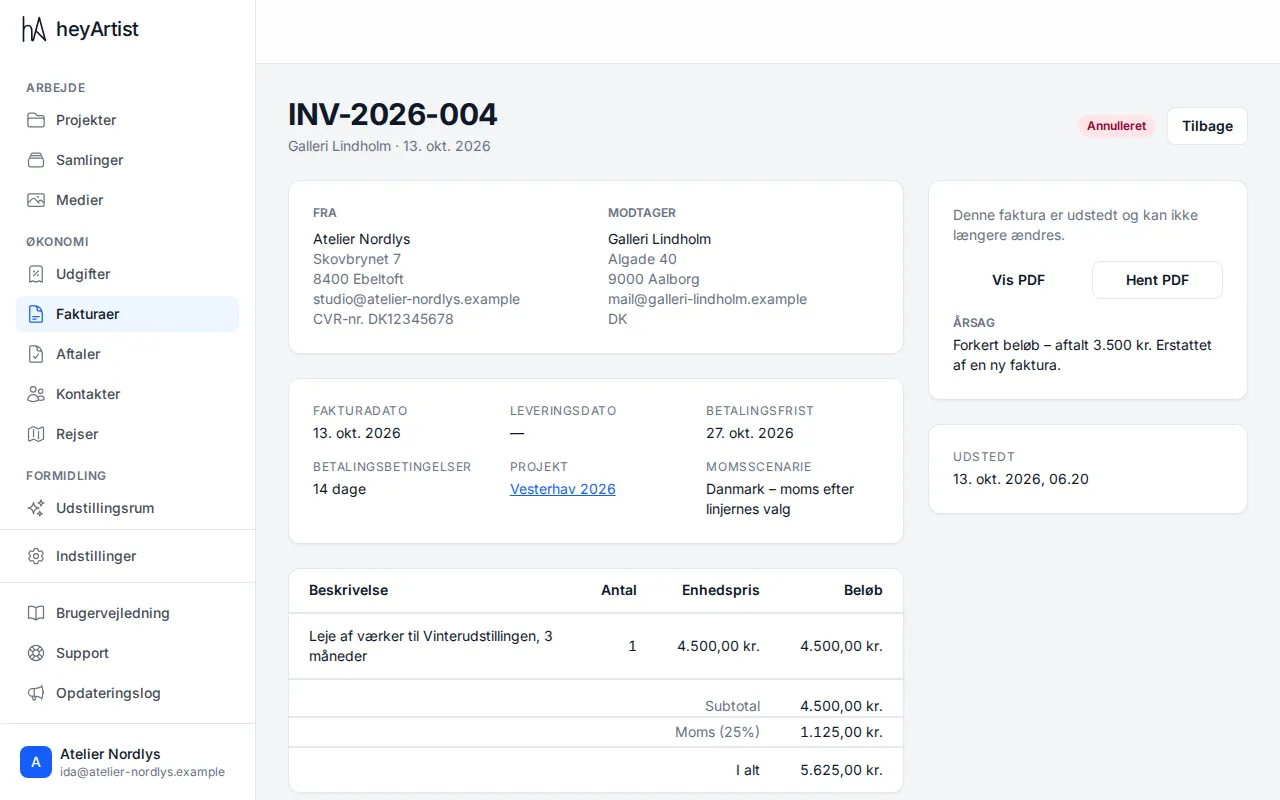
The invoice now shows Void, with the reason on it. It does not disappear:
- The number stays. Danish bookkeeping law requires an unbroken sequence, so the number is not used again. The new invoice gets the next number.
- The PDF can still be viewed and downloaded, but is marked VOID.
Then make the correct invoice as a new one. See Making an invoice.
Only an issued invoice can be voided. A draft has no number — you simply change it with Edit invoice.